
Introduction to Modern Residential Surveillance
The market for home monitoring equipment has evolved significantly over the past decade, shifting from bulky analog systems to sleek, connected devices that integrate directly with everyday smartphones. When searching for the best home security camera, consumers are typically looking to enhance peace of mind, deter potential intruders, and keep an eye on deliveries, pets, or family members while away from the house. Modern technology allows these devices to stream high-definition video over standard wireless networks, providing real-time alerts whenever motion or sound is detected within the camera’s field of view.
Beyond basic observation, today’s monitoring hardware often includes advanced capabilities such as two-way audio communication, night vision, and artificial intelligence-powered detection. This means cameras can distinguish between a stray animal, a blowing branch, and a human being, drastically reducing the number of false alarms sent to your mobile device. Understanding these foundational capabilities helps property owners determine which specific configurations align with their household requirements, local neighborhood safety conditions, and overall layout preferences before making any purchasing decisions.
Types of Cameras and Placement Strategies
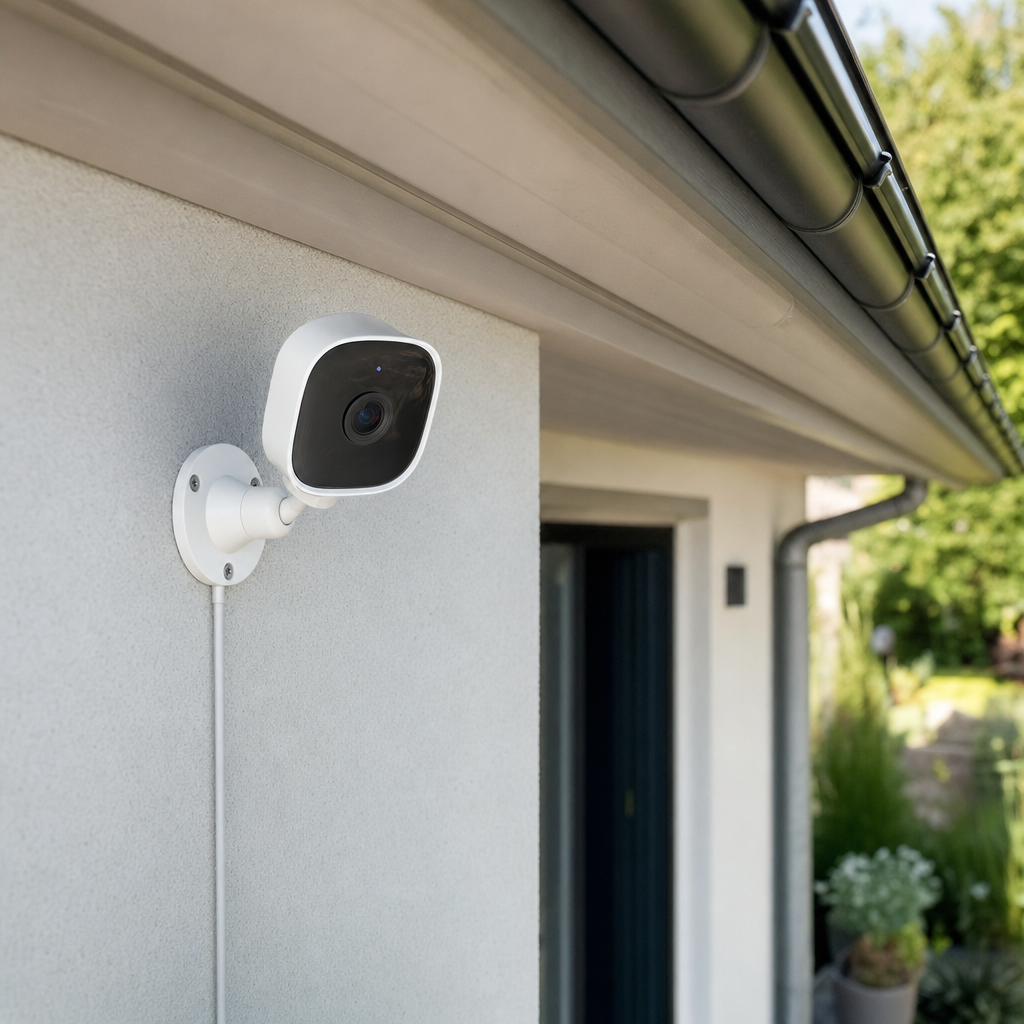
Selecting the right equipment requires distinguishing between indoor and outdoor models, as each serves a distinct purpose within a comprehensive home setup. Outdoor cameras are engineered to withstand harsh weather conditions, including heavy rain, freezing temperatures, and direct sunlight, while featuring rugged housings resistant to tampering. In contrast, indoor units prioritize discreet designs, wider viewing angles, and features like physical privacy shutters that give residents control over when the lens is actively recording inside living spaces or bedrooms.
Strategic placement is just as critical as the hardware specification itself to ensure optimal coverage without blind spots. Common high-priority zones include front and back entryways, ground-floor windows facing the street, and common interior hallways or living areas where family members congregate. Positioning devices at optimal heights—typically around eight to ten feet off the ground—prevents casual tampering while maintaining a clear vantage point of faces and movement. Property owners should also consider lighting conditions, as placing a lens directly facing a glaring sun or bright porch light can wash out the video feed entirely.
Key Technical Specifications to Evaluate
Navigating technical specifications can feel overwhelming, but focusing on a few core metrics will simplify the evaluation process considerably. Video resolution is the most obvious factor, with 1080p serving as the current standard for clear identification, though 2K and 4K options provide even sharper details for zooming in on license plates or distant faces. Field of view determines how much area a single lens can capture, with ultra-wide lenses covering entire yards while narrower fields concentrate on specific doorways. Additionally, night vision capabilities—utilizing either traditional infrared or color night vision via built-in spotlights—ensure round-the-clock visibility.
Power and connectivity options represent another vital decision point that directly impacts installation complexity and reliability. Battery-powered models offer maximum flexibility for placement anywhere on a property without worrying about electrical wiring, though they require periodic recharging or battery swaps. Wired or plug-in models eliminate battery anxiety but tether the device to a nearby power outlet or require professional low-voltage cable routing through exterior walls. Similarly, buyers must weigh local Wi-Fi stability against network congestion, ensuring their home router can handle multiple high-definition video streams simultaneously.
Here are the primary technical factors every buyer should review:
- Resolution quality ranging from standard 1080p high definition up to ultra-clear 4K formats.
- Field of view width to minimize blind spots around entryways and large yards.
- Power source requirements including rechargeable lithium-ion batteries, plug-in adapters, or hardwired connections.
- Connectivity bandwidth demands and compatibility with existing wireless routers.
- Integration ecosystems such as smart home assistants and automated lighting platforms.
Data Storage, Privacy, and Subscription Models
Recording footage is only half the equation; deciding where and how that video data is stored requires careful consideration of both convenience and ongoing costs. Many modern manufacturers rely heavily on cloud-based storage subscriptions, which upload clips automatically whenever motion triggers an event. While cloud storage allows users to access historical footage from anywhere in the world and protects evidence even if the physical device is stolen, these services typically require a monthly or annual fee per device to maintain continuous functionality and advanced alert features.
Local storage alternatives offer a subscription-free experience by saving video files directly onto onboard micro-SD cards or centralized home base stations connected to local network storage drives. This approach appeals to privacy-conscious consumers who prefer keeping their household video data entirely on-site rather than transmitting sensitive footage to third-party corporate servers. However, local storage has inherent limitations, such as the risk of losing all recorded evidence if the physical camera or base station is damaged, destroyed, or stolen during a break-in.
Installation Methods and Maintenance Practices
Installing residential surveillance hardware ranges from completely tool-free DIY setups to complex wiring projects requiring specialized assistance. Wireless cameras utilizing magnetic mounts, adhesive strips, or simple screw brackets can usually be installed by a homeowner within minutes using standard household tools. Property owners should always test the live video feed on their smartphone while standing at the intended mounting location to confirm a strong Wi-Fi signal before permanently securing the hardware to siding, brick, or drywall.
Long-term reliability depends heavily on routine maintenance routines to keep lenses clean and operational throughout changing seasons. Dust, spider webs, pollen, and water spots can easily obscure the camera lens or trigger false motion alerts, necessitating periodic cleaning with a soft microfiber cloth. Battery-powered devices require vigilant monitoring of charge levels, especially during cold winter months when chemical battery efficiency drops significantly. Regularly updating firmware through the manufacturer application also ensures the device remains protected against newly discovered security vulnerabilities and software bugs.
Frequently Asked Questions
Do home security cameras require a continuous internet connection to function properly?
Most modern devices require an active Wi-Fi connection to transmit live video streams and push notifications to smartphones. However, some models with local SD card storage can still record offline events locally, though you cannot view them remotely until internet connectivity is restored.
Can outdoor cameras operate reliably during extreme winter or summer weather?
Quality outdoor equipment is weather-resistant, built with sealed enclosures designed to withstand rain, snow, and heat. Always check the manufacturer’s specified operating temperature range to ensure the hardware can handle your local climate conditions.
Are monthly subscription fees mandatory to use a security camera?
Subscriptions are rarely mandatory for basic live viewing and motion alerts, but companies frequently lock advanced features—such as cloud video history, person detection, and activity zones—behind paid monthly tiers.
How can I protect my security camera from being hacked or compromised?
You can significantly improve security by using strong, unique passwords for your camera accounts, enabling two-factor authentication, and regularly updating the device firmware through the official manufacturer application.
Article Was Generated By AI.