
Understanding Modern Smart Locks and Their Core Technologies
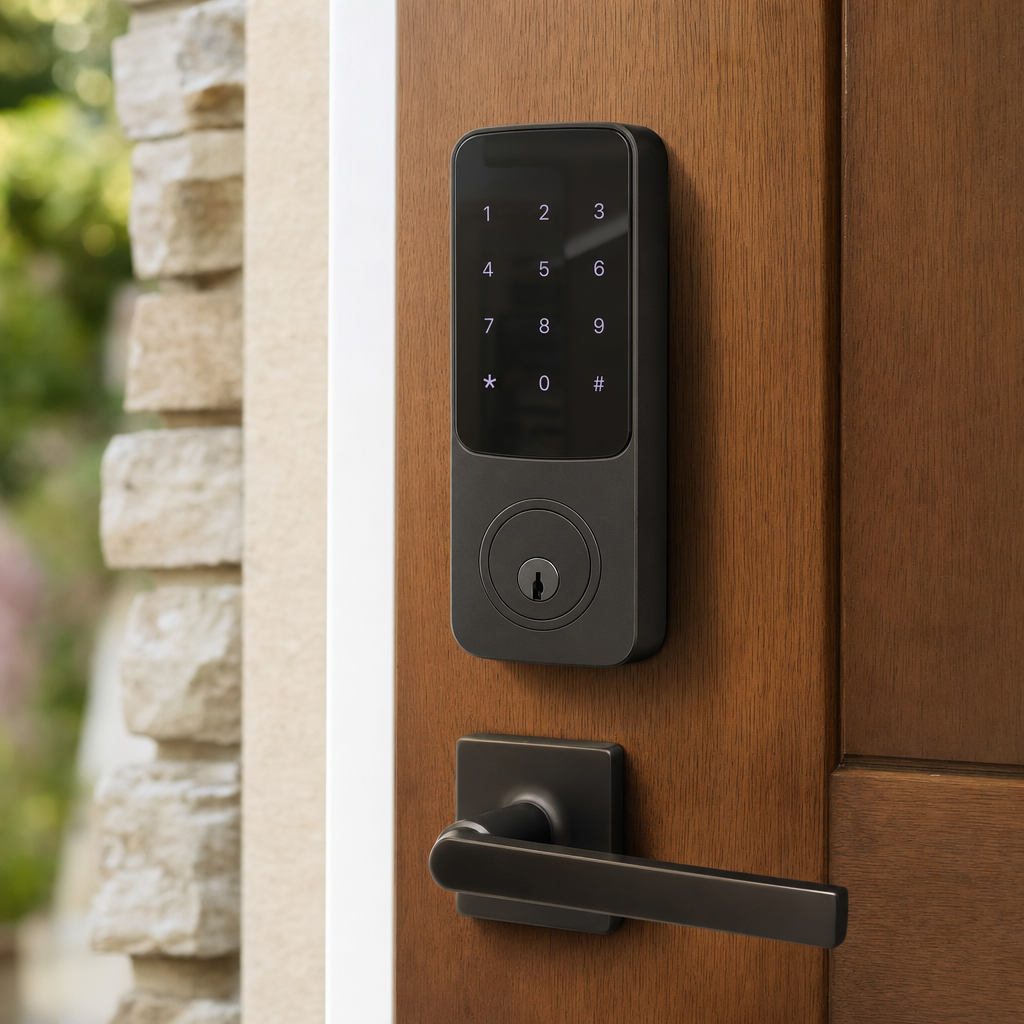
The search for the best smart lock usually begins with a desire to replace traditional metal keys with more flexible, digital access methods. These electronic devices mount directly onto your existing deadbolt hardware, allowing you to lock and unlock your door using a smartphone application, a numerical keypad, a fingerprint reader, or even voice commands through a smart home assistant. Manufacturers design these systems to integrate seamlessly with your daily routine, eliminating the panic of wondering whether you remembered to secure your home before leaving for work in the morning.
Beneath the sleek exterior panels, smart locks rely on advanced wireless protocols such as Bluetooth, Wi-Fi, Z-Wave, or Zigbee to communicate with your home network and mobile devices. Bluetooth offers reliable local communication and preserves battery life by only activating when your phone is within close proximity. Wi-Fi integration allows you to check your door status and grant remote access from anywhere in the world, though it typically demands more frequent battery changes. Understanding these underlying connectivity types is essential for selecting a device that matches your home ecosystem and technical setup.
Key Features to Evaluate Before Making Your Selection
When evaluating the vast array of available options, prioritizing the right features ensures you get a device that genuinely serves your household. Access flexibility stands out as a primary consideration, as households with children or frequent visitors benefit greatly from models offering multiple entry methods including physical backup keys, temporary digital codes, and biometric fingerprint scanners. Furthermore, auto-lock functionality uses internal gyroscopes or door sensors to secure the entryway automatically after a specified duration, providing continuous peace of mind without requiring manual intervention every time you step outside.
Integration capabilities with major smart home platforms like Apple HomeKit, Amazon Alexa, and Google Assistant dictate how well your new hardware will work with existing automation routines. A lock that connects smoothly with your smart lights and security cameras can trigger comprehensive routines, such as turning on hallway lights and disarming indoor motion sensors the moment you unlock the front door. Reviewing companion mobile apps is equally important, as a well-designed application simplifies the process of creating user schedules, reviewing activity logs, and sharing temporary access keys with dog walkers or maintenance personnel.
Installation Methods and Hardware Compatibility Realities
Before purchasing any electronic deadbolt, checking physical compatibility with your existing door preparation prevents frustrating installation hurdles. Most residential entry doors feature standard bore holes and backsets, but thicker wooden doors, decorative exterior plates, or non-standard latch mechanisms might require specialized mounting kits or professional modification. Fortunately, many contemporary models are engineered as retrofit solutions that only replace the interior thumb-turn assembly while leaving your exterior key cylinder completely intact, which is especially beneficial for apartment renters who need to maintain their original exterior appearance.
Physical installation generally requires nothing more than a standard Phillips screwdriver, taking approximately fifteen to thirty minutes for a typical DIY enthusiast. The process involves removing the old interior deadbolt cover, aligning the new tailpiece through the latch mechanism, securing the mounting plate, and calibrating the digital motor via the companion smartphone application. Ensuring that your door swings freely without binding against the frame is critical during this phase, because electronic motors struggle to operate smoothly if a deadbolt experiences excessive friction or misalignment within the strike plate.
Power Management, Battery Life, and Emergency Access
Because these security devices rely on onboard batteries rather than hardwired electrical connections, managing power consumption is a vital aspect of long-term ownership. Most units run on standard alkaline or lithium AA batteries, delivering an average lifespan of six to twelve months depending on daily usage frequency and wireless protocol activity. Low-temperature environments can temporarily reduce battery performance, making it wise to monitor battery percentage indicators closely within your mobile application and replace power cells promptly when prompted by audio or visual alerts.
Reliable backup mechanisms provide essential reassurance against unexpected power failures, dead batteries, or internal circuit malfunctions. Manufacturers incorporate various emergency solutions, ranging from physical keyways hidden beneath decorative faceplates to external 9-volt battery contact terminals that let you jump-start the keypad temporarily to enter your PIN. Keeping a traditional physical key securely stored in a lockbox, with a trusted neighbor, or in your vehicle ensures you will never find yourself completely locked out of your home due to technical glitches.
Security Standards, Encryption, and Physical Durability
Evaluating the security credentials of a connected locking mechanism involves looking at both physical grade ratings and digital encryption standards. Independent testing organizations assign grades based on rigorous physical stress tests against forced entry, picking, and drilling attempts. Selecting hardware with appropriate builder certifications guarantees that the mechanical deadbolt assembly is robust enough to withstand significant physical impact, protecting your household just as effectively as traditional high-security hardware.
On the digital front, robust data encryption protects your wireless communications from unauthorized interception by malicious actors attempting to spoof your access signals. Reputable manufacturers employ advanced encryption standards similar to those used in online banking, safeguarding your PIN codes and remote unlock commands as they travel between your phone, cloud servers, and the physical lock. Furthermore, enabling multi-factor authentication on your mobile companion app adds an essential layer of defense against unauthorized account access.
Common Features Comparison Checklist
To help clarify your research, reviewing a structured comparison of typical hardware categories can highlight which configuration aligns best with your lifestyle requirements. Different form factors cater to specific architectural aesthetics, rental agreements, and user preferences, making a feature checklist an invaluable tool for narrowing down your options before visiting a hardware retailer or ordering online.
- Retrofit Models: Keep exterior keys, replace only interior thumb-turn, ideal for renters.
- All-in-One Keypad Locks: Full exterior replacement, provides PIN entry and backup keys.
- Biometric Locks: Features integrated fingerprint scanners for fast, keyless family access.
- Connected Bridge Locks: Requires a separate plug-in hub for stable remote Wi-Fi access.
Frequently Asked Questions
What happens to my smart lock if the internet goes down?
Most smart locks continue operating locally via Bluetooth, physical keys, or keypad PINs even when your home internet connection drops temporarily, though remote smartphone control will be unavailable until service is restored.
Can I still use my traditional metal key with a smart lock?
Many models retain a traditional keyway hidden beneath a small magnetic cover or integrated directly into the design, allowing you to use a physical backup key whenever desired or needed.
How difficult is it to install a smart lock myself?
Installation is generally straightforward and typically takes under thirty minutes using a standard screwdriver, as most units are designed to fit into existing deadbolt holes without drilling new bores.
Are smart locks vulnerable to digital hacking or cyber attacks?
While digital vulnerabilities can theoretically exist, reputable manufacturers use advanced encryption standards and secure wireless protocols to protect your lock from unauthorized remote manipulation.
Article Was Generated By AI.