
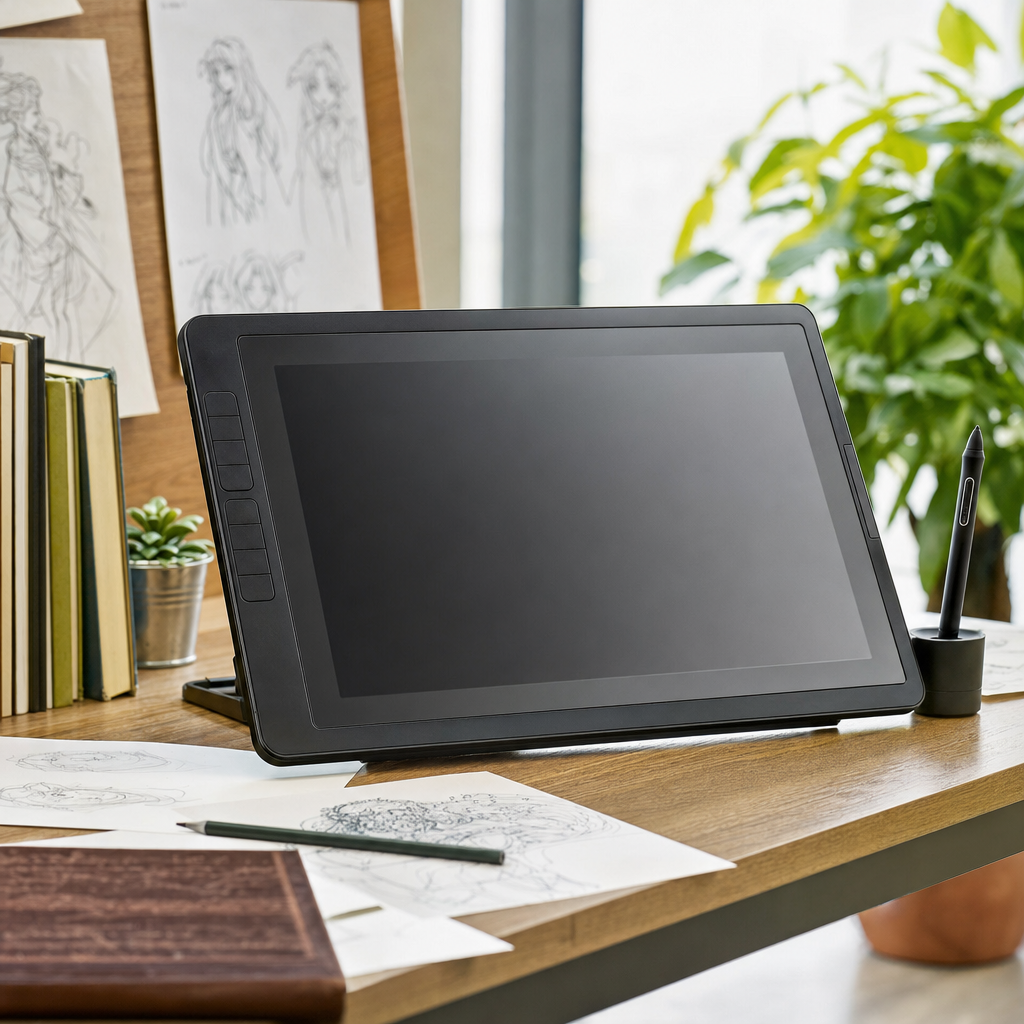
Introduction to Digital Drawing Tablets
The search for the best drawing tablet often begins when traditional artists decide to transition into the digital realm, or when experienced digital creators look to upgrade their current hardware. A drawing tablet is an essential peripheral device that connects to a computer or operates as a standalone unit, allowing users to draw, paint, and edit photos using a stylus that mimics traditional drawing tools. Unlike a standard computer mouse, these specialized tablets recognize varying levels of pressure and tilt, granting artists precise control over line weight, opacity, and brush texture. Understanding the fundamental categories of these devices is the first step toward making an informed choice for your specific creative workflow.
Historically, digital art creation required expensive, bulky equipment that was limited to professional studios and specialized academic institutions. Today, advancements in manufacturing have made drawing tablets remarkably accessible, ranging from affordable entry-level models for hobbyists to professional-grade studio displays used by animators and concept artists worldwide. Whether you are sketching character designs, retouching high-resolution photography, or creating vector illustrations for graphic design projects, modern tablets integrate seamlessly with industry-standard software such as Adobe Photoshop, Corel Painter, Clip Studio Paint, and Blender. Knowing what features matter most will help you navigate the vast array of options available on the market today.
Key Categories of Drawing Tablets
When researching the best drawing tablet for your needs, you will generally encounter two primary types: pen tablets and pen displays. Pen tablets, often referred to as graphics tablets, do not feature a built-in screen; instead, you draw on a smooth surface while looking up at your computer monitor. This setup requires a period of hand-eye coordination adjustment, but these devices are typically more durable, highly portable, and significantly more affordable than their screen-equipped counterparts. Many professional illustrators actually prefer traditional pen tablets because they prevent your hand from blocking the view of your artwork and keep your posture upright during long drawing sessions.
Pen displays, on the other hand, feature an integrated screen that allows you to draw directly onto the surface of your digital canvas. This provides a natural, intuitive experience that closely mirrors drawing on traditional paper, making the learning curve much shorter for beginners and traditional artists alike. However, these devices require a connection to a power source and a host computer, though some advanced models function as completely independent computers with their own operating systems. While pen displays offer exceptional immersion and precision, they also tend to be heavier, generate more heat, and command a much higher price tag in the marketplace.
Essential Features and Specifications
Evaluating the technical specifications of a drawing tablet can feel overwhelming due to the sheer volume of marketing terminology used by manufacturers. Pressure sensitivity is one of the most critical metrics, measured in levels that determine how responsive the stylus is to the force you apply. While early models featured modest sensitivity ratings, modern devices often boast 8,192 levels of pressure sensitivity, allowing for incredibly subtle transitions from hair-thin lines to bold, expressive strokes. Additionally, tilt recognition enables the stylus to understand the angle at which you are holding it, which is especially useful for replicating the behavior of real-world charcoal pencils, calligraphy nibs, and flat markers.
Surface texture and screen lamination are equally important factors that influence the overall drawing experience. A smooth glass screen can sometimes feel slippery under a plastic stylus tip, leading many manufacturers to apply matte textured films or etch the glass directly to create a paper-like friction. Fully laminated displays reduce the physical distance between the pen tip and the cursor on the screen, virtually eliminating parallax error and ensuring your strokes land exactly where you expect them to. Furthermore, connectivity options have evolved to include both wired USB-C connections and wireless Bluetooth capabilities, giving users greater flexibility in organizing their workspace.
Evaluating Your Personal Workflow
Finding the right device ultimately depends on a careful evaluation of your unique creative habits, physical workspace, and intended applications. If you primarily work from a fixed desktop computer and spend hours editing photos or creating detailed vector graphics, a durable non-screen pen tablet paired with a high-accuracy color-calibrated monitor might be the most ergonomic and cost-effective choice. Conversely, if you enjoy sketching on the couch, traveling frequently, or prefer the immediate tactile feedback of drawing directly beneath your fingertips, investing in a pen display or a standalone tablet will likely yield a much more satisfying creative experience.
Budget considerations also play a vital role in determining the ideal hardware configuration for your artistic journey. High-end professional displays offer stunning 4K resolutions and exceptional color accuracy, but entry-level models have become remarkably sophisticated, delivering professional-grade pressure sensitivity and reliable performance at a fraction of the cost. It is wise to consider not just the upfront cost of the hardware, but also potential additional expenses such as replacement stylus nibs, protective drawing gloves, specialized software subscriptions, and ergonomic desk mounts or stands to ensure comfortable long-term use.
Comparison of Tablet Types
To help clarify the differences between the major categories of digital drawing tools, consider the following structural comparison points. Each style offers distinct advantages depending on whether your priority is budget-friendliness, studio performance, or complete portability while working away from a traditional desk setup.
- Non-screen pen tablets: Highly affordable, extremely durable, lightweight, requires hand-eye coordination adjustment.
- Pen displays with screens: Intuitive direct drawing experience, eliminates hand-eye disconnect, higher cost, requires desk space.
- Standalone creative computers: Completely portable, runs full software natively, expensive, heavier battery-powered build.
Frequently Asked Questions
Do I need a computer to use a drawing tablet?
It depends on the model. Traditional pen tablets and pen displays require a connection to a host computer or laptop to function. However, standalone creative tablets feature built-in operating systems and do not require external hardware.
What is the difference between a drawing tablet and an iPad?
A standard drawing tablet is a peripheral device designed strictly to connect to a computer or display. An iPad is a fully functional touchscreen computer that runs mobile operating systems and specific mobile illustration applications.
How long do stylus tips last?
Stylus nibs wear down over time due to friction against the tablet surface. Depending on how heavily you press and the texture of the screen, a single nib can last anywhere from several months to over a year.
Can beginners use professional-grade drawing tablets?
Yes, beginners can use professional tablets, but many choose entry-level models to learn the basics without making a massive financial commitment. High-end features offer refinement rather than fundamental capability.
Article Was Generated By AI.